
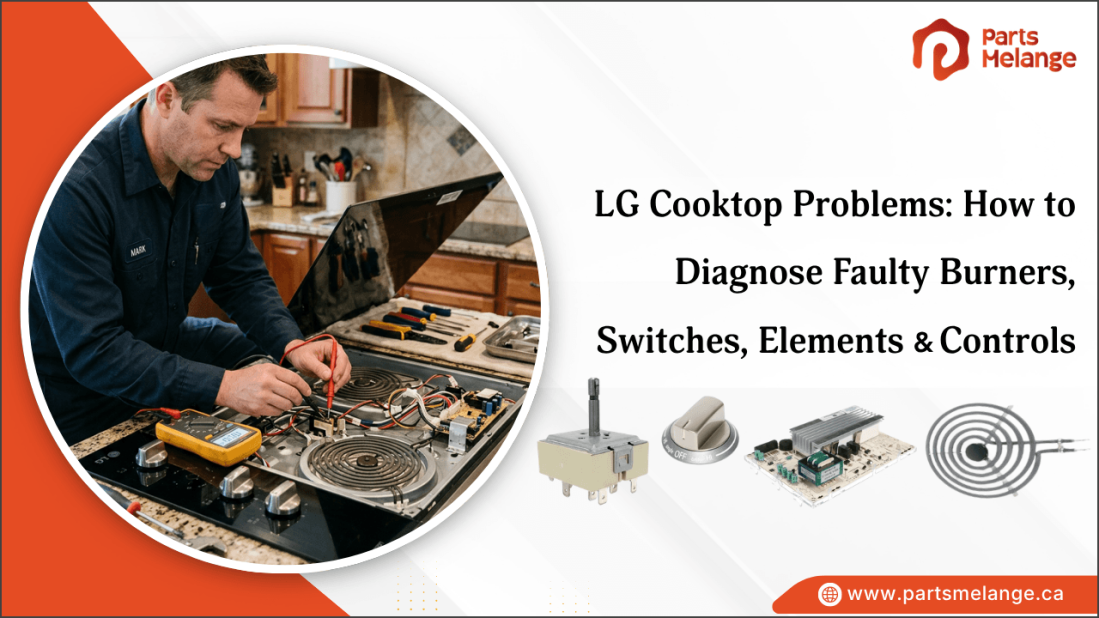
LG cooktops are designed for everyday cooking, but problems can still occur with burners, heating elements, switches, ignition systems, or controls. You may notice one burner not heating, uneven flames, a burner staying on high, or touch controls that do not respond properly.
Identifying the actual cause before replacing a part can help avoid unnecessary repairs and costs. Simple checks such as inspecting the burner, testing an element, checking the switch, and examining the wiring can often help narrow down the problem. Using the correct LG parts for your specific cooktop model can help restore proper performance and ensure the repair is a better fit for the appliance.
This blog explains the most common LG cooktop problems, their symptoms, practical troubleshooting steps, and how to identify faulty burners, switches, heating elements, and control boards.
What Are the Most Common LG Cooktop Problems and Their Symptoms?
LG cooktop problems can appear in several forms, from a single burner that will not heat to gas ignition issues and unresponsive electronic controls. If your LG cooktop not working, identifying the symptom first makes it easier to narrow down whether the problem is related to the burner, heating element, switch, wiring, sensor, or control board.
The table below highlights the most common LG range cooktop problems, their symptoms, and the parts that may be responsible.
Common LG Cooktop Problem | Symptoms | Likely Cause |
LG cooktop burner not heating | One burner stays cold while others work | Faulty heating element, switch, wiring, or connector |
Burner heating slowly | Takes longer to reach the desired temperature | Weak element, faulty switch, or poor power connection |
Burner stuck on high | Burner stays hot even when the knob is lowered | Faulty infinite switch or control-board relay |
Gas burner not igniting | Burner clicks but no flame appears | Dirty ports, wet igniter, misaligned cap, or faulty igniter |
Uneven gas flame | Flame is yellow, weak, or irregular | Blocked burner ports or gas-pressure issue |
Induction zone not heating | Zone does not detect the pan or shows a cookware warning | Unsuitable cookware, sensor, coil, or control fault |
Multiple burners not working | Several cooking zones stop heating together | Power supply, wiring, terminal connection, or control board |
Touch controls not responding | Buttons fail to respond or behave erratically | Moisture, keypad, or electronic control fault |
Error code appears | PF or other model-specific codes are displayed | Power interruption, sensor, overheating, or control issue |
Cracked cooktop glass | Visible crack or damaged cooking surface | Impact or thermal stress |
Burner cycles on and off | Element repeatedly turns on and off during cooking | Normal heat regulation or faulty switch/sensor if excessive |
These symptoms provide a useful starting point, but the same problem can have more than one cause. For example, a burner that stays cold may have a failed element or a faulty switch, so testing the individual components is important before purchasing replacement LG cooktop parts.
Looking for quality home appliance replacement parts? PartsMelange offers LG cooktop replacement parts, including heating elements, burner switches, knobs, sensors, and other components for various appliance models to help keep appliances functioning properly and extend their service life.
How to Diagnose an LG Cooktop Burner That Is Not Heating Properly
If one LG cooktop burner not working while the others work normally, the problem may be with the heating element, burner switch, wiring, or control board. Follow these checks to identify the faulty component.
Step 1: Check the power supply
Make sure the cooktop is receiving power and the circuit breaker has not tripped. If the other burners work normally, continue checking the individual burner.
Step 2: Inspect the burner
Look for visible damage, burn marks, cracks, loose terminals, or melted connectors. For gas models, check the burner cap, burner ports, and igniter for dirt or moisture.
Step 3: Test the heating element
Disconnect the power and use a multimeter to measure resistance across the element terminals. An over limit (OL) or infinite reading generally indicates an open heating element that needs replacement.
Step 4: Check the infinite switch
If the element tests correctly, inspect the burner control knob. Test the appropriate terminals for continuity at the required knob settings. A switch that fails the specified continuity test may be faulty.
Step 5: Inspect the wiring
Check the wires and connectors between the heating element, switch, and control board. Burned, loose, or melted connections can stop power from reaching the burner.
Step 6: Compare another burner
If your LG cooktop has identical removable elements, swap the suspected element with a working one. If the problem moves with the element, the element is likely defective.
Step 7: Check the control board
If the element, switch, and wiring all test correctly but the burner remains cold, a faulty relay or electronic control board may be preventing power from reaching the burner.
Safety: Always disconnect electrical power before accessing internal cooktop components. For gas-related problems or high-voltage electrical faults, use a qualified technician.
How to Check a Faulty LG Cooktop Infinite Switch or Burner Control Switch
A faulty infinite switch can make an LG cooktop burner stay cold, remain on high, or respond incorrectly to the knob. Follow these checks to identify the fault and apply the appropriate fix.
Turn off the power: Switch off the cooktop at the circuit breaker and confirm that no electrical power is reaching the appliance.
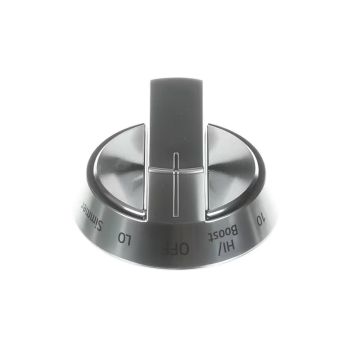
Remove the control knob: Pull off the burner knob and access the infinite switch behind the control panel according to the LG model instructions.
Inspect the switch: Look for burn marks, melted plastic, discoloration, loose terminals, or damaged wires.
Fix: Replace the switch if it shows significant heat or physical damage.
Test continuity: Use a multimeter to check continuity across the appropriate infinite switch terminals and compare the readings at different heat settings.
Fix: Replace the LG cooktop infinite switch if the readings do not match the required continuity for the selected setting.
Check different heat settings: Turn the switch through low, medium, and high positions while testing the appropriate terminals.
Fix: Replace the switch if the electrical connections do not change correctly with the settings.
Check for stuck contacts: If the burner stays on high even when the knob is turned down or off, the switch may have stuck contacts.
Fix: Replace the faulty infinite switch rather than attempting to repair its internal contacts.
Inspect the wiring: Check the wires and connectors between the switch and heating element for loose, burned, or damaged connections.
Fix: Repair or replace damaged wiring and securely reconnect loose terminals.
Check the heating element: If the switch appears to work correctly, test the burner element for an open circuit or abnormal resistance.
Fix: Replace the heating element if it fails the resistance test.
Inspect the control board: If the switch, element, and wiring are functioning correctly, the control board or relay may be causing the problem.
Fix: Have the board tested and replace it if the relevant relay or circuitry has failed.
Test the repaired burner: Restore power and test the burner at several heat settings.
Fix: If it still stays cold, remains on high, or cycles incorrectly, further diagnosis of the wiring or control system is required.
Safety: Always disconnect electrical power before accessing internal cooktop components. Use the exact LG model number when selecting a replacement switch or other part.
How to Test a Faulty LG Cooktop Heating Element
A faulty heating element can cause an LG cooktop burner to stay cold, heat slowly, or fail to reach the selected temperature. Test the element first with a multimeter, then use the results to determine the correct fix. LG service manuals show that resistance values vary by element and model, so there is no single resistance value that applies to every LG cooktop.
How to Test the LG Cooktop Heating Element
Turn off the power: Switch off the cooktop at the circuit breaker and confirm that the appliance has no electrical power.
Access the heating element: Remove the necessary panel or cooktop section according to the instructions for your LG model.
Inspect the element: Look for a broken coil, burn marks, cracks, blistering, or other visible damage.
Disconnect the element wires: Remove the wires from the heating element terminals before testing resistance.
Set the multimeter: Set the meter to the resistance (Ω) setting, such as the lowest appropriate range for the element.
Measure resistance: Place one probe on each element terminal. A working element should show a finite resistance reading.
Example: Some LG models specify approximately 46 Ω ±10%, while other models use different values.
Check for Over Limit (OL): If the multimeter displays OL or infinite resistance, the element has an open circuit and is generally defective.
Check for a ground fault: Test between each element terminal and the metal chassis. An unwanted continuity reading can indicate an insulation or grounding problem.
Compare with the model specification: Use the service manual for the exact LG model to confirm the expected resistance. Some dual elements have separate resistance readings for their inner and outer circuits.
How to Fix a Faulty LG Cooktop Heating Element
If the heating element fails the resistance test or shows visible damage, the appropriate fix is to replace the element with the correct model-specific part.
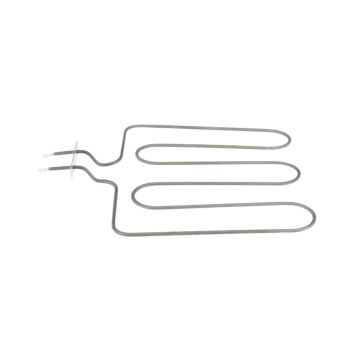
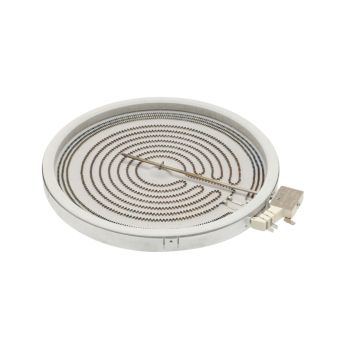
Replace an open element: If the element shows over limit (OL) or infinite resistance, replace it with the correct model-specific heating element.
Replace a physically damaged element: Replace the heating element if the coil is broken, burned, cracked, or visibly damaged.
Replace a grounded element: If the element has an unwanted connection to the chassis, replace it rather than continuing to use it.
Repair damaged terminals: If the element is good but its terminals or connectors are burned or loose, repair or replace the damaged connection.
Check the infinite switch: If the element passes the resistance test but does not heat, test the burner control or infinite switch.
Check the control board: If the element, wiring, and switch test correctly, investigate the control board or relay that supplies power to the burner.
Test the burner after repair: Reassemble the cooktop, restore power, and test the burner at several heat settings to confirm that it heats normally.
How to Diagnose LG Cooktop Electronic Control Board Problems
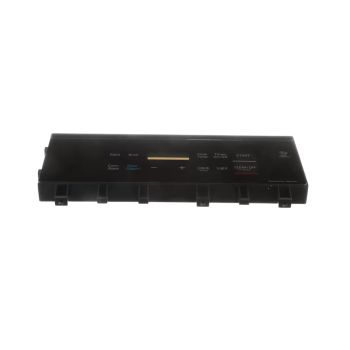
A faulty control board can affect multiple burners, touch controls, displays, or the entire cooktop. LG cooktop troubleshooting becomes more complex when several functions fail at the same time. Before replacing the board, rule out simple power, wiring, and control-panel problems first. LG recommends checking displayed error codes and power supply issues before LG electric cooktop repair.
How to Diagnose and Fix LG Electric Cooktop Problems
Check the power supply: Confirm that the cooktop circuit breaker is on and that the appliance is receiving the required power.
Fix: Reset a tripped breaker once. If it trips again, stop using the cooktop and have the electrical circuit checked.
Check the display for error codes: Note any F-code or other message shown on the display.
Fix: Follow the error-code procedure for the exact LG model instead of immediately replacing the control board.
Reset the cooktop: Turn the circuit breaker off for about 30–60 seconds and restore power.
Fix: If the control problem disappears after the reset, monitor the cooktop. If the same fault returns, further diagnosis is required. LG provides power-reset procedures for persistent electronic-control errors.
Check the touch controls: Make sure the control area is clean and completely dry. Water, food residue, or an object resting on the touchpad can prevent proper operation.
Fix: Clean and dry the control panel, remove objects, and restart the cooktop.
Check the affected burners: If several burners fail at the same time while the cooktop has power, the control circuit becomes more likely than a single heating element.
Fix: Inspect the control-board connections and related wiring before replacing the board.
Inspect wiring and connectors: With power disconnected, check the harnesses between the control board, relay board, display, and heating circuits for loose, burned, or damaged connections.
Fix: Reconnect loose terminals or replace damaged wiring and connectors.
Check the relay or electronic control: Some LG cooktop designs use a relay PCB to switch power to the surface elements. A failed relay can prevent one or more elements from heating even when the elements themselves test correctly.
Fix: If testing confirms a failed relay or control board, replace the affected board with the correct model-specific part.
Replace the control board when confirmed faulty: If the power supply, wiring, heating elements, switches, and touch controls test correctly but the cooktop continues to show control-related faults, the electronic control board may be defective.
Fix: Replace the board using the exact part number specified for the LG model.
Important: Do not assume a control board is faulty simply because a burner does not heat. A failed element, infinite switch, connector, or wiring can produce similar symptoms. Always disconnect power before accessing internal components.
Check out How to Replace an Electric Stove Burner Without Damaging the Cooktop for practical steps to safely remove and replace a faulty burner.
Summary: When Should You Repair or Replace Faulty LG Cooktop Parts?
The best choice depends on the type of LG cooktop problem, the condition of the appliance, and the cost of the repair. A faulty heating element, infinite switch, sensor, or damaged wiring can often be fixed without replacing the entire cooktop.
Choose LG cooktop repair when:
The problem is limited to one component
The heating element or switch has failed
Replacement parts are available
The cooktop is otherwise in good condition
The repair cost is reasonable
Consider LG cooktop replacement when:
Multiple components are failing
The control board has a major fault
The glass surface is badly cracked
Repairs are becoming frequent and expensive
Replacement parts are difficult to find
Repair costs are close to the cost of a new cooktop
Before making a decision, consider the cooktop's age, repair history, part availability, and overall condition. Testing the faulty component first can help prevent unnecessary part replacements and repair expenses.
For simple component failures, replacing the damaged LG cooktop part may be the most practical option. However, serious electrical problems, major control-board failures, or extensive physical damage may make replacement a better long-term choice.
FAQs
Why does my LG cooktop burner turn on and off by itself?
An LG electric cooktop burner may cycle on and off normally to maintain the selected temperature. Excessive cycling, staying on high, or poor heating can indicate a faulty infinite switch, sensor, heating element, or control board.
Why is my LG cooktop displaying an error code?
An LG cooktop can display an error code because of a power interruption, overheating, sensor failure, touch-control problem, or electronic control fault. Check the code in your model-specific manual before replacing any components.
Can a faulty LG cooktop sensor cause the burner to stop heating?
Yes. A faulty temperature sensor can send incorrect readings to the control system, causing the burner to reduce or stop heating. If the heating element and switch test correctly, inspect the sensor and its wiring.
Why is my LG induction cooktop not detecting the cookware?
An LG induction cooktop may not detect cookware if the pan is not induction-compatible, is too small, or is incorrectly positioned. Center compatible cookware on the cooking zone and ensure its base is flat and magnetic.
What cookware problems can cause an LG induction cooktop burner not to work?
Non-magnetic cookware made from aluminum, copper, or glass may not work with induction. Warped, undersized, or poorly positioned cookware can also prevent detection. Use a flat, magnetic pan that appropriately matches the cooking zone.
Disclaimer: This blog is for informational purposes only and provides general guidance on diagnosing and troubleshooting LG cooktop problems. Symptoms, components, and repair methods may vary by appliance model. |




Please complete your information below to login.
Sign In
Create New Account